Vulcan Reference Manual

  • Welcome to Vulcan
  • Production Workflow
    • Preparation
    • Jogging and Homing
    • Create
    • File Management
    • Select Program
    • Edit NC Code
    • Edit Laser Technology
    • Edit layout
    • Simulation run
    • Work offsets
    • Run
    • Re-entry
  • Laser Technology Tables (LTT)
    • Terminology
    • Laser Data items
      • Piercing
      • Multistage Piercing
      • Cutting
      • Special Processes
    • Modifying Laser Data
    • LTT Management
    • Ramp Cycles
    • FlyCut
    • Acceleration while cutting (DCA)
  • Technology functions
    • Vaporize Sheet
    • Nanojoints
    • PierceLine Sensor
    • Frog Jumping
    • Analog Gas Calibration
    • Cutting Tools
    • Dynamic Focus Control (DFC)
  • Control Elements
    • Lubrication Cycle
    • Protective Glass Monitoring
    • Scrap Cut
    • Go To Sheet Origin
    • Height Sensor Calibration
    • Nozzle Centre
    • Target Shot
    • Gas Purge
    • HC Manual Set Point
    • Go To Park Position
    • Nozzle Clean & Height Sensor Calibration
    • Edge Detection
    • Focus Comb
    • Focal Distance
    • Pilot Diode Positioning
  • Production plan
    • Create a production plan
    • Modification
    • Run a production plan
    • Running sequence
    • sheet loading
    • Material stock
  • Advanced functionality
    • Nozzle Changer
    • Pallet changer settings
    • Status light
    • Suction cup layout
    • Automation Interface
    • KL59, Laser & Optics
    • Automated corner optimization
  • Programming manual
    • DIN Programming
    • LST Programming
  • Machine configuration
    • Laser database
    • Work offsets
    • Machine settings
  • Service settings
    • General settings
      • Log files
      • Backup settings
    • Calibration of the pilot laser
    • Service settings
    • PLC functions for service's maintenance/ repair work for KL59
    • DCA settings
    • Info messages
  • Troubleshooting
    • Installation
    • Work offset
    • Error data, backup, restore
    • Frequent collisions
    • Laser issues
    • extreme small contours
Service settings
/
PLC functions for service's maintenance/ repair work for KL59

PLC functions for service's maintenance/ repair work for KL59

Usually the most frequent problem with KL59 is the mal-function of Faulhaber focus motor.

  1. After the focus motor replacing, service firstly needs to evaluate whether the focus motor is properly assembled (the relative position of the zero mark impulse with respect to the reference switch: target value is around 500~1000).

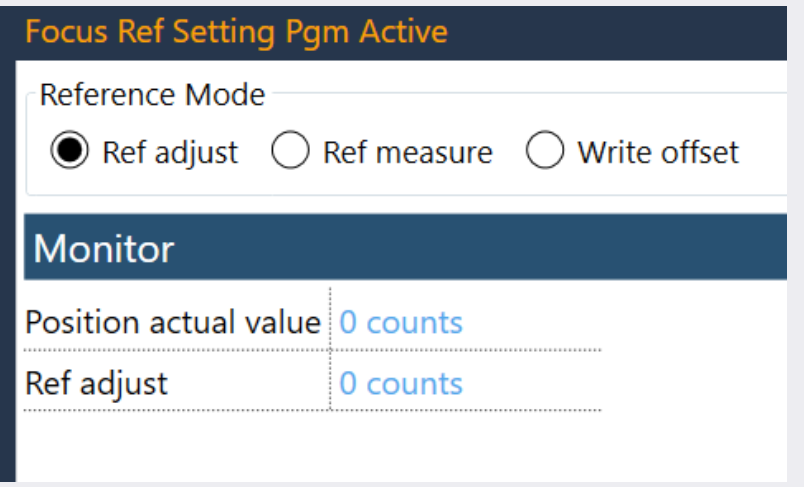
And now the coding in codesys is done and tested in sub-program RefAdjust. This new program needs to be integrated into Vulcan: a SW button on HMI which can only be accessed by service should be added. And this measuring program can be executed by pressing this SW button. After program execution, the measured relative position can be returned onto HMI so that the service can evaluate and decide whether mechanical re-adjustment is necessary.

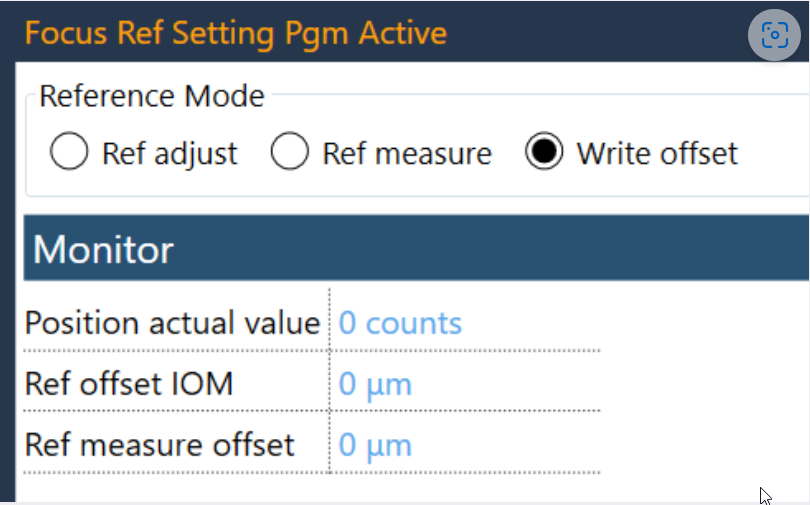
  1. After focus motor replacing, the focus offset of the new assembly needs to be measured and then recorded as the new parameter for Vulcan and Focus motor’s drive parameter.

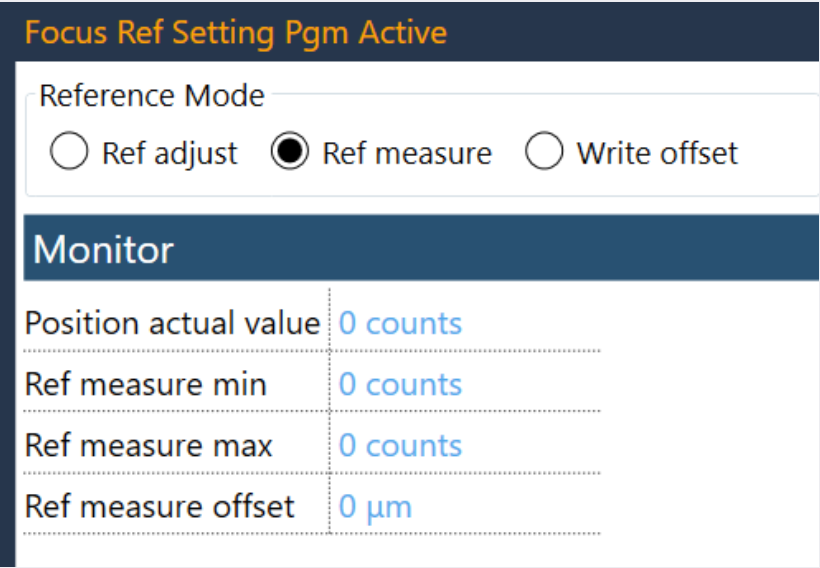
And now the coding in codesys is done and tested in sub-program RefMeasure. This new program needs to be integrated into Vulcan: a SW button on HMI which can only be accessed by service should be added. And this measuring program can be executed by pressing this SW button. After program execution, the measured focus offset should automatically recorded into Vulcan and Focus motor’s drive parameter.

The following focus setting dialogs are available:
Focref1

Focref2

focref3

Tip
see service manual for more details

https://metamation.fogbugz.com/f/cases/35532

Service settings DCA settings

      Copyright © 2024 by Trumpf-Metamation. All rights reserved.

    Compiled by Bento