
Run a production plan
As in production plan list, there could be plenty of programs be displayed. To have a clear view the current program running state, consider to add the symbols which indicate the relative state.
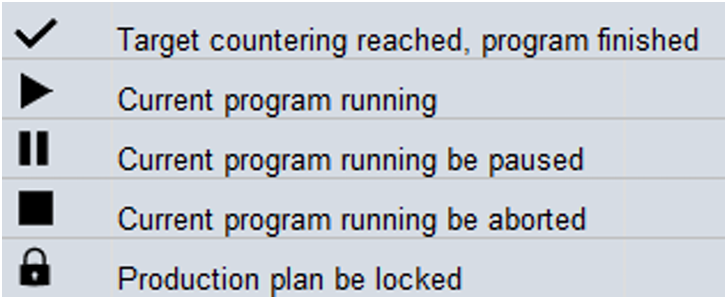
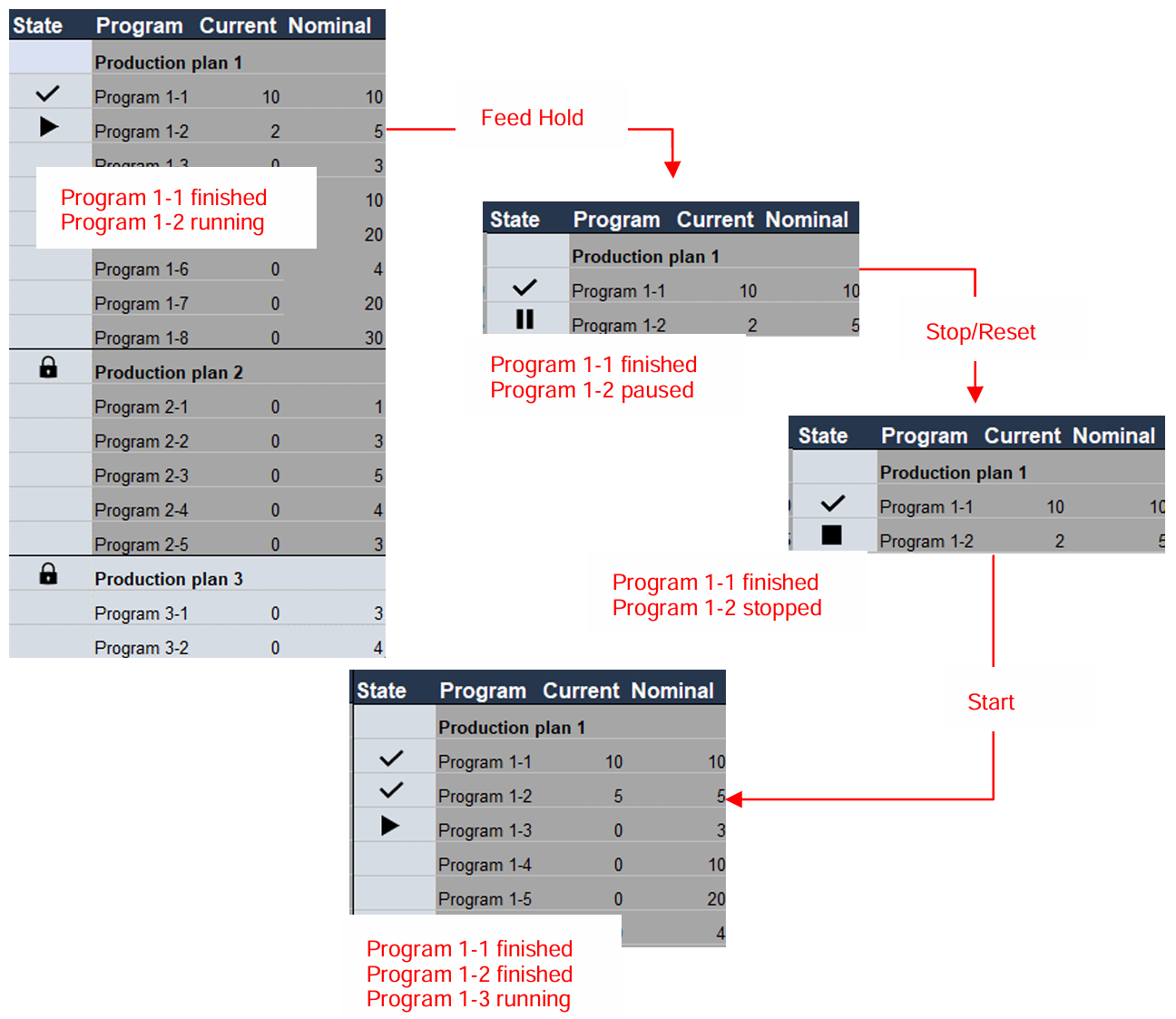
Program selection and Quantity change
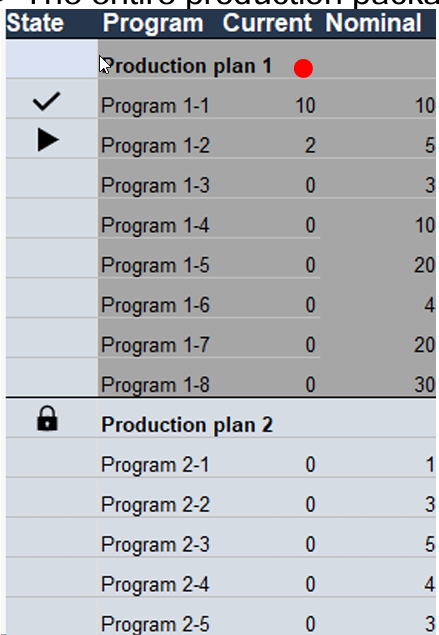
To Select a production plan: Click on the Production plan name > The entire production package be highlighted in dark color.
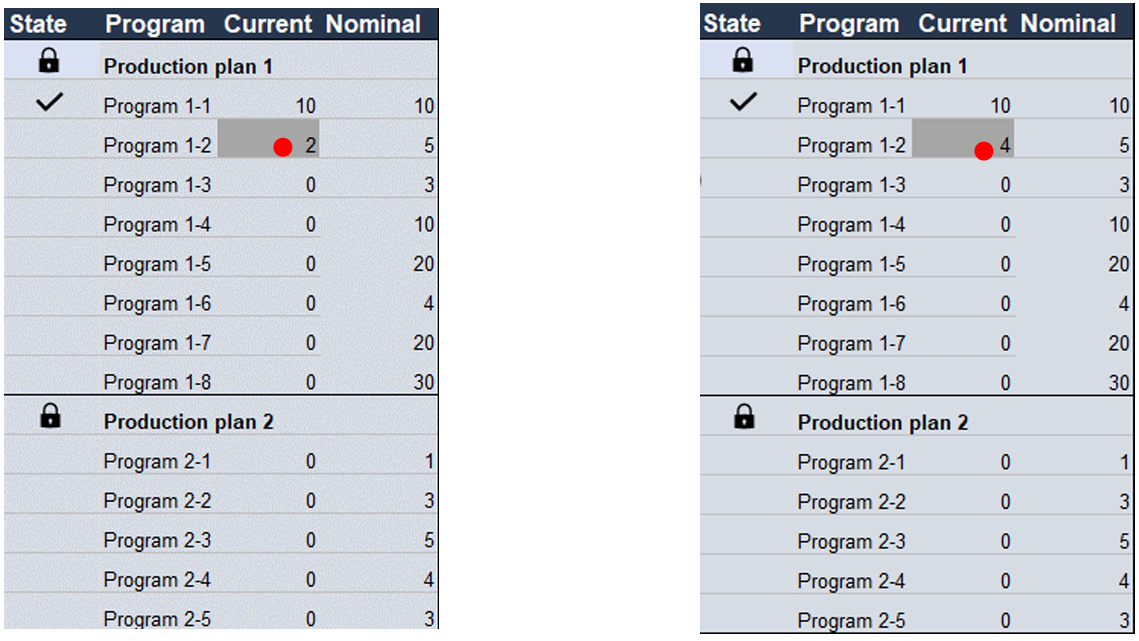
To Change Quantity: Quantity only can be adjusted while Production plan is in Lock state. This is to avoid the risk of unexpected loading/unloading reactions from machine.
While adjust the Current quantity, its maximum value is “Nominal - 1”, this is to ensure that the preload sheet be finished properly.
Quantity should be stored for each production plan: There could be the case that the production plan is running but there’s a new production plan with higher priority need to be processed. In this case, the operator will abort the current production plan, and process the new production plan, in the end resume to original production plan to continue. So, it requires to have all the latest quantity status being saved for each production plan. The data be stored in IPC, and will not be cleaned even a machine reboot.
Stop after Current Sheet
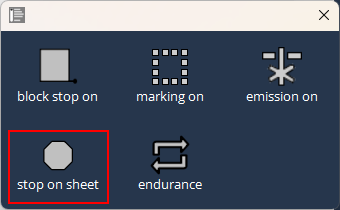
Stop on Sheet button This function is to stop the production plan while the current sheet processing finished. In certain cases, the operator wants to stop the production plan and no need to continue further processing of next sheet, he can use this function as a pre-setting.
Activate this button in processing, while the current sheet being finished, the production plan will be stopped, the next sheet will not be continued to process.
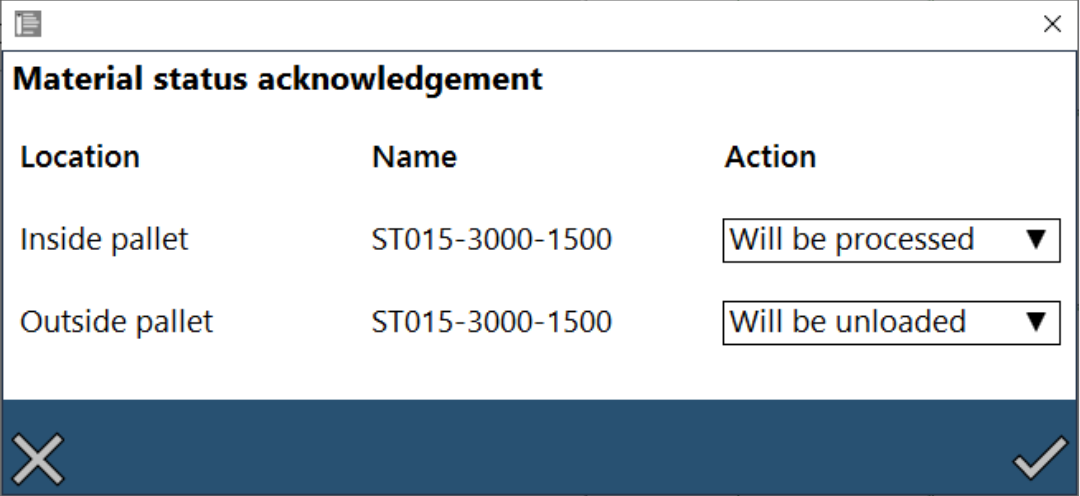
In Production plan, Material acknowledgement status occurs during every start of the single program.
Endurance Mode
-
Purpose of Endurance mode is to check the following:
-
Mechanical installation reliability of the machine.
-
Gas pressure regulator.
-
Height control function.
-
If Emission ON, then activate the marking option.
-
Focus control movement.
-
Focus diameter change, etc.,
-
-
Endurance mode can be used only in Production Plan and will be running in the same pallet. (Pallet changer will be deactivated).
-
Hence, only the pkg.lst file program is supported. If need a particular LST program to be tested in Endurance mode, then convert it to .pkg.lst as follows:
-
Find below comparison to convert the normal LST (left side) to run in Production plan (right side), define the target number minimum as 1.
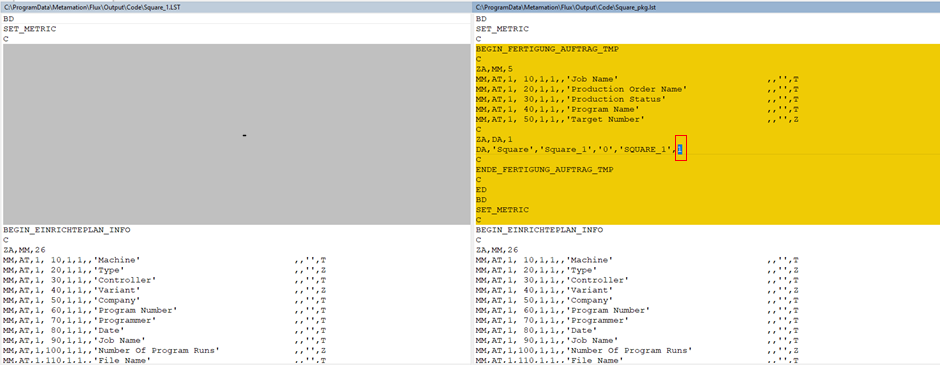
The highlighted value '1' is the target number. -
Also, update the Job Name, Production Order Name, Program Name as follows:
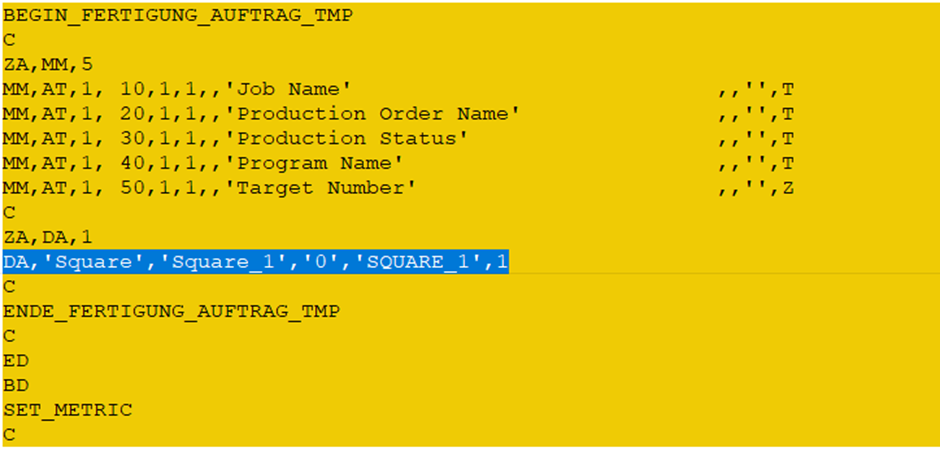
Here,
'Square' is the Job Name
'Square_1' is the Production Order Name
'SQUARE_1' is the Program Name -
Find below the additional code required to convert to PP mode:
-
-
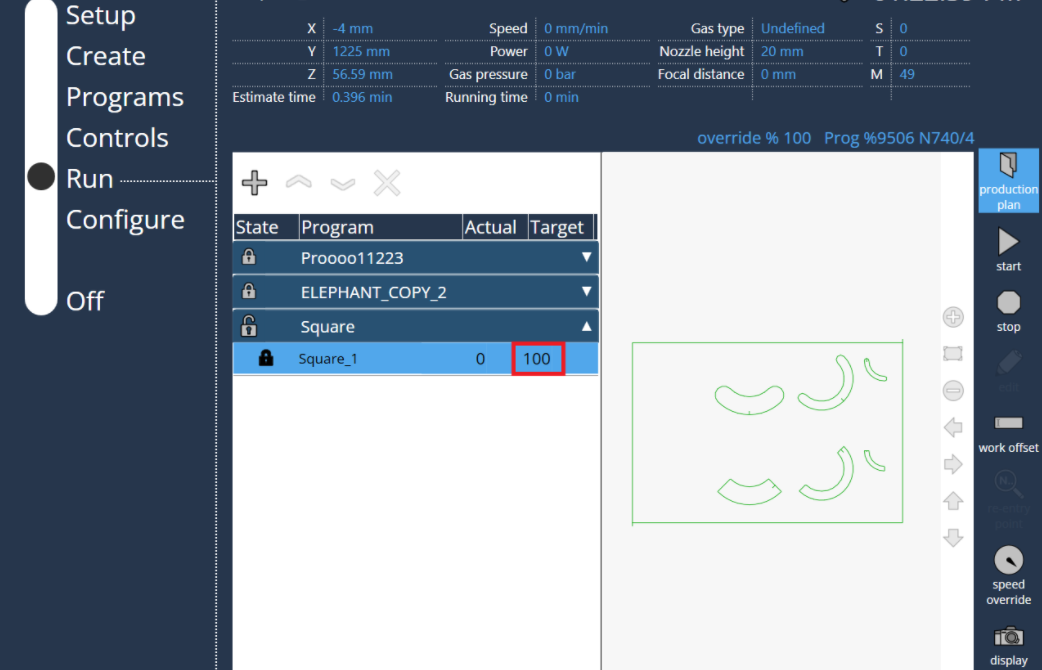
Select the required Job program in Production Plan and enter the number of cycles the program has to run.
-
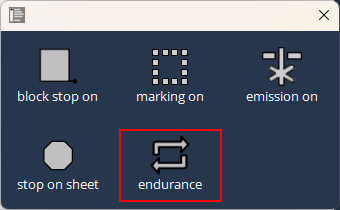
Activate the Endurance mode button and the Hint will appear in the Left side, in active state if switch to normal mode it will be deactivated and activated when back to PP mode automatically, until it is deactivated via the button in PP mode. +
-
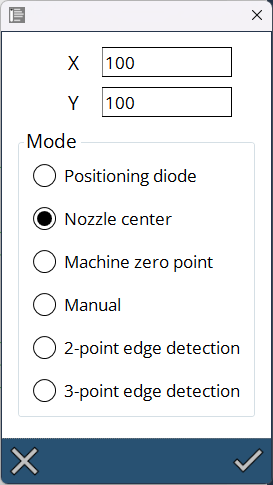
Capture the work offset first time, if Edge detect was selected then each time at the start of program edge detect also work.
-
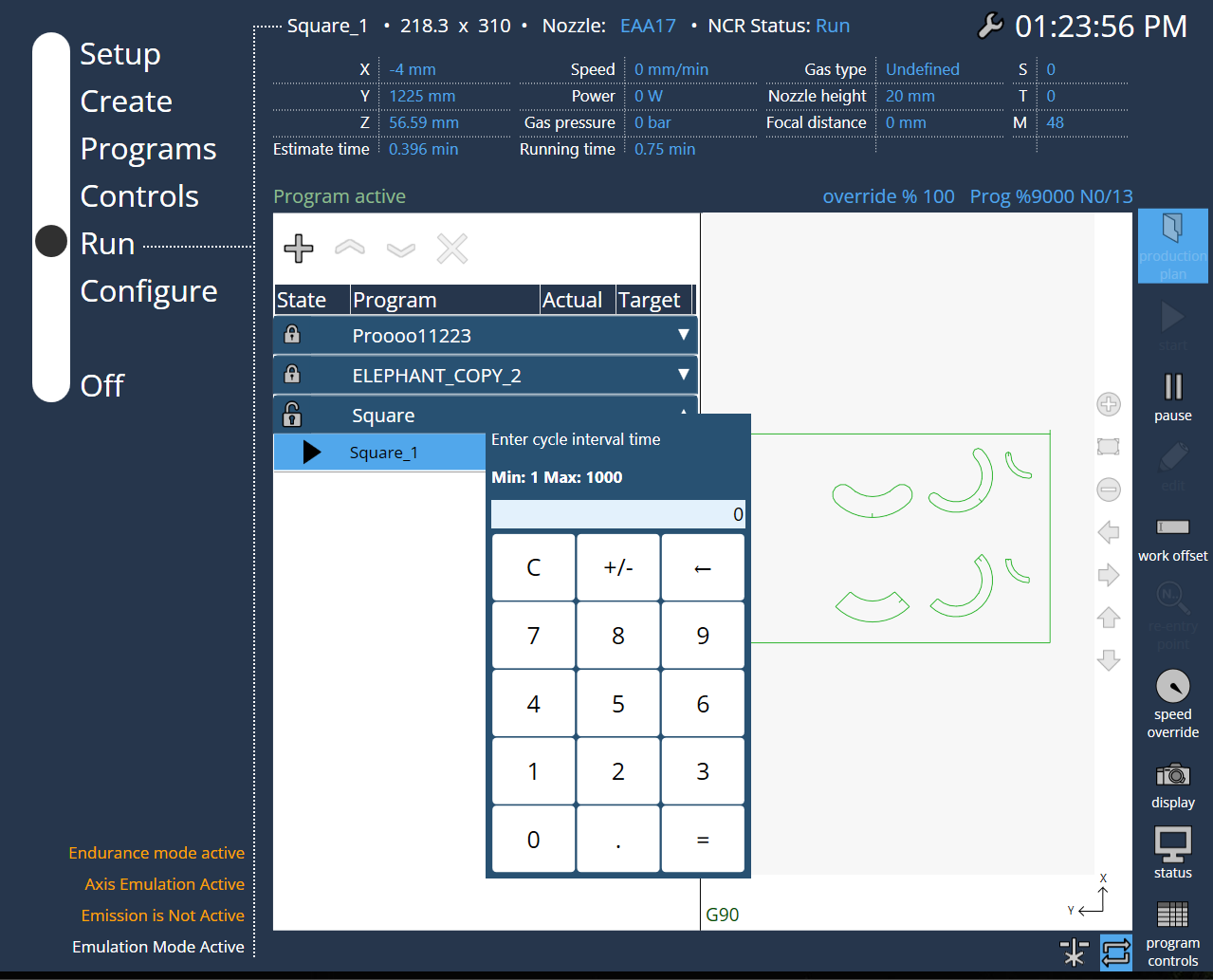
At the start of program, a pop-up window appears and enter the cycle interval time here.
-
Now the program runs continuously until it reaches the given target number.