
User interface
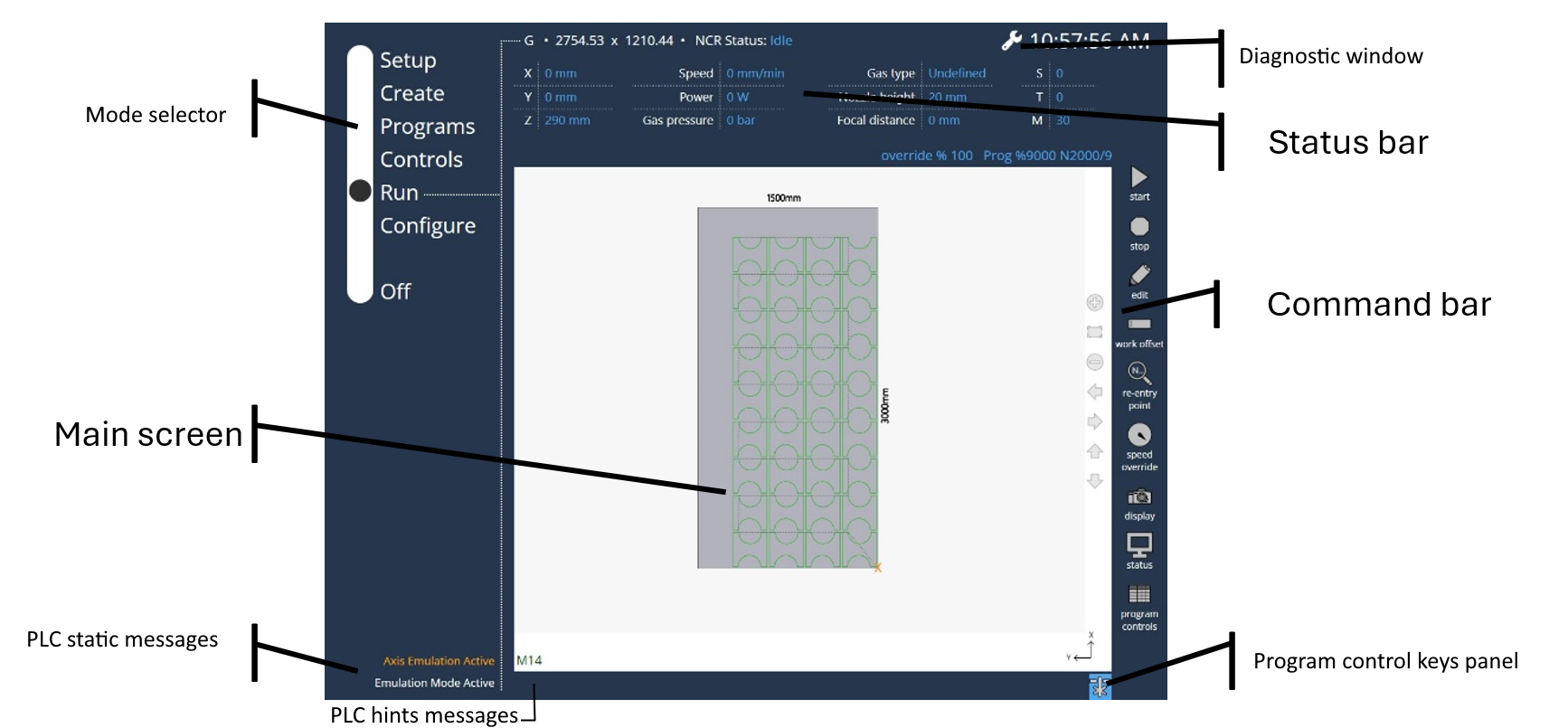
Vulcan Control uses an innovative user interface design which displays all machine interaction in an uncluttered, minimalist view.
-
The Taskbar defines the major operation mode in the production process.
-
The Top status bar shows production data while running a program
-
The Command bar is depended on the operation mode
-
The bottom Status bar shows if the laser is emitting light.
-
Messages and errors are displayed on the left lower side.
-
Version information of various components is displayed by clicking the Vulcan Control logo.